> For the complete documentation index, see [llms.txt](https://docs.mybytes.tech/llms.txt). Markdown versions of documentation pages are available by appending `.md` to page URLs; this page is available as [Markdown](https://docs.mybytes.tech/zoho-desk/jira-connector-for-zoho-desk/administrator-guide/configure-jira-workflow-automation.md).
# Configure Jira Workflow Automation
This step-by-step guide explains how to configure the **Create Jira Issue** workflow automation in Zoho Desk.
This feature allows you to automatically create a Jira issue from Zoho Desk using workflow rules.
{% hint style="info" %}
Ensure your extension is updated to the **latest version** before proceeding.
{% endhint %}
### Step 1: Enable Workflow Custom Action setting
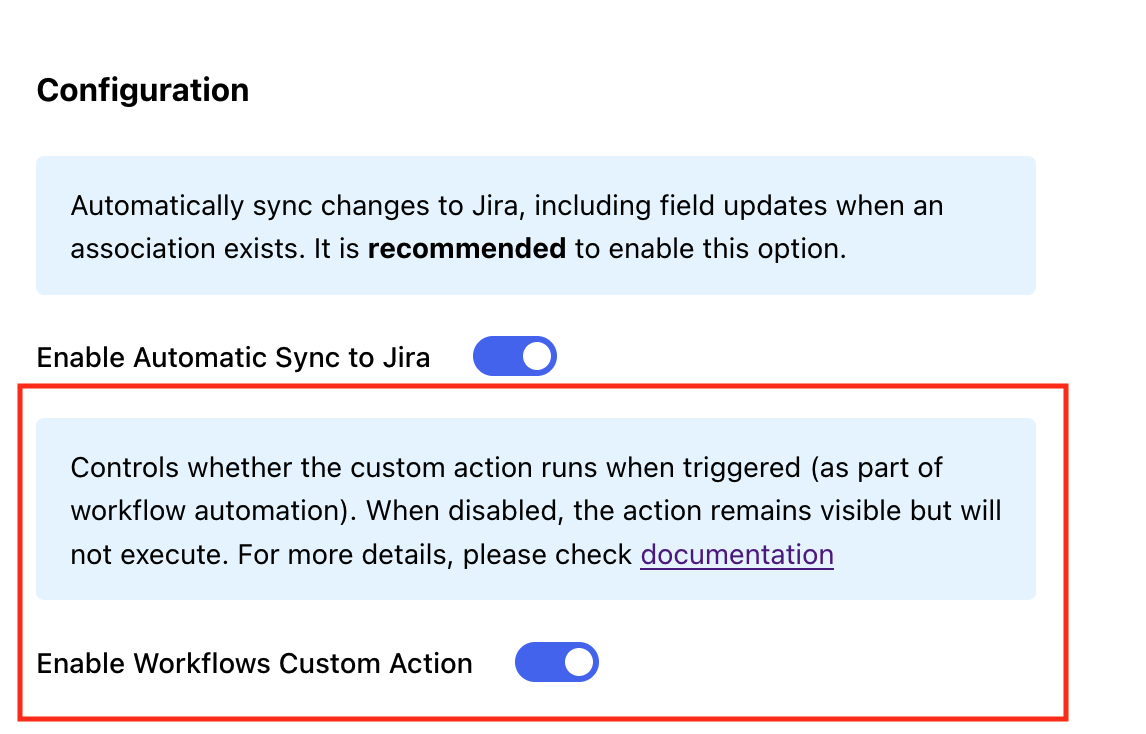
* Navigate to the Settings page.
* Toggle **Enable Workflows Custom Action**.\
This setting controls whether the workflow custom action is allowed to run. When disabled, the action may still be visible, but it will not execute.
### Step 2: Create workflow
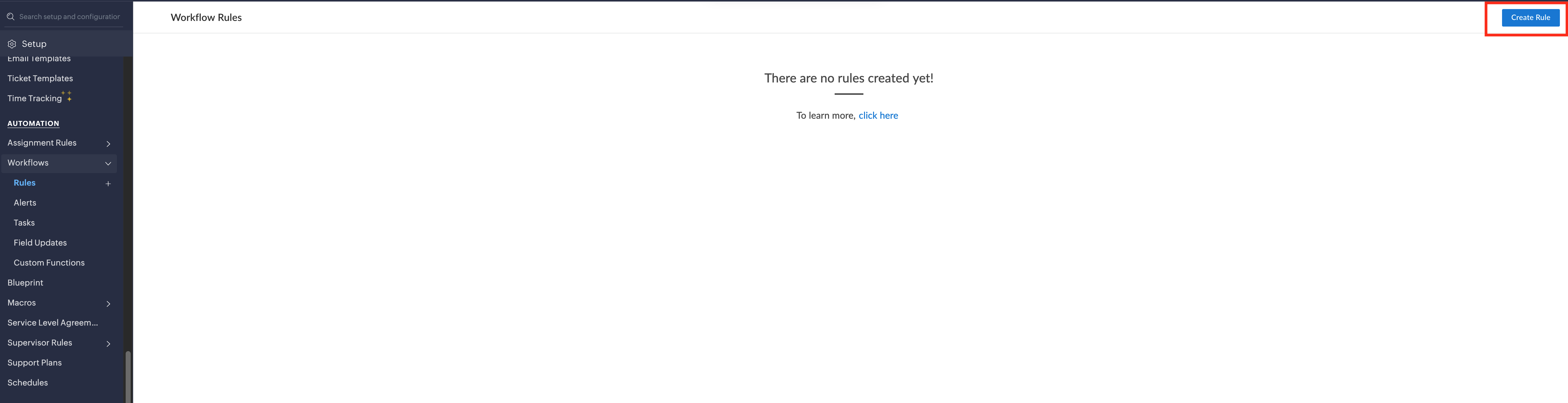
* In Zoho Desk, navigate to the **Workflows** page.
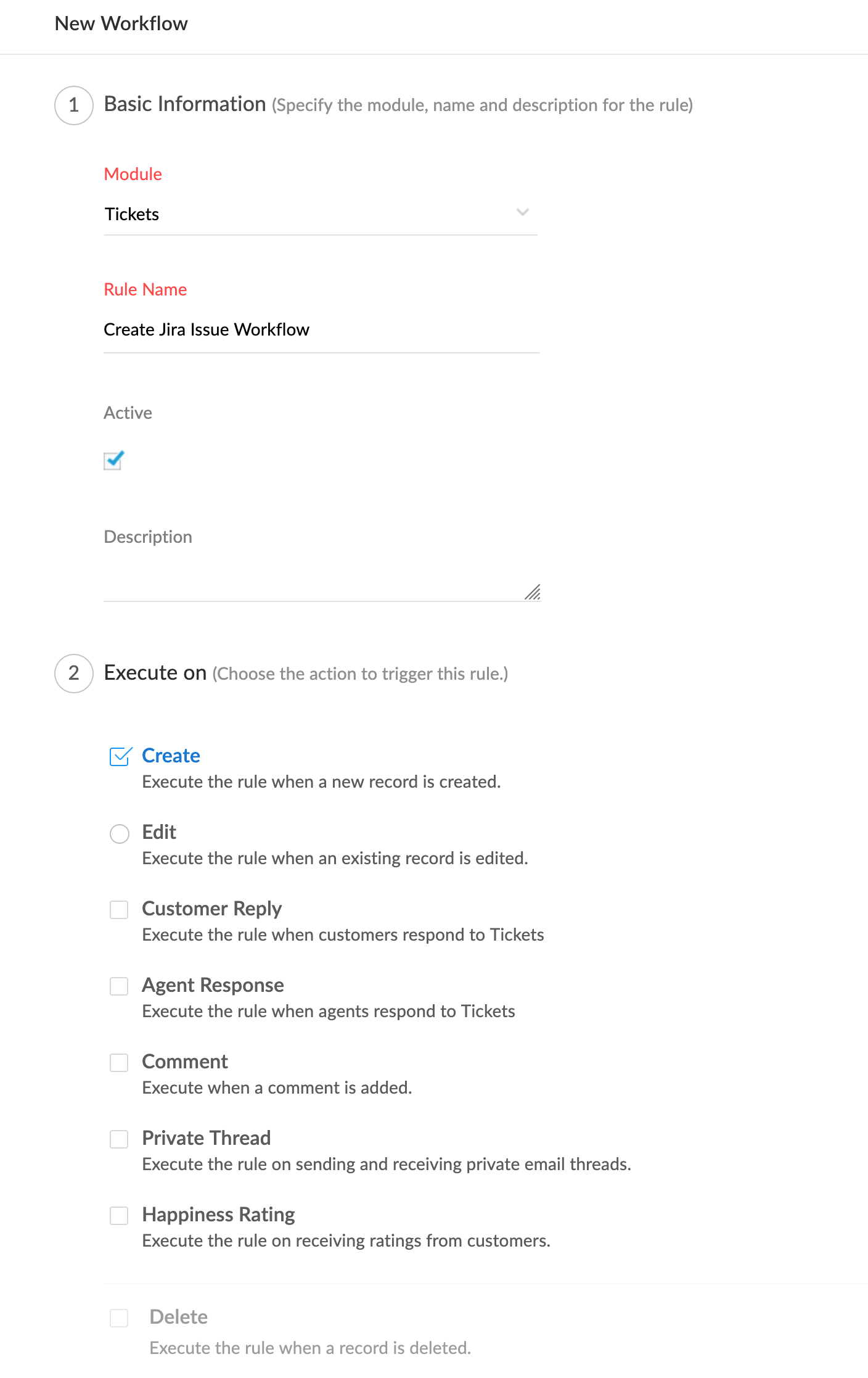
* Create a new workflow or edit an existing one.
* Set up the workflow conditions based on your business needs.
* Configure the appropriate trigger for when the workflow should run.
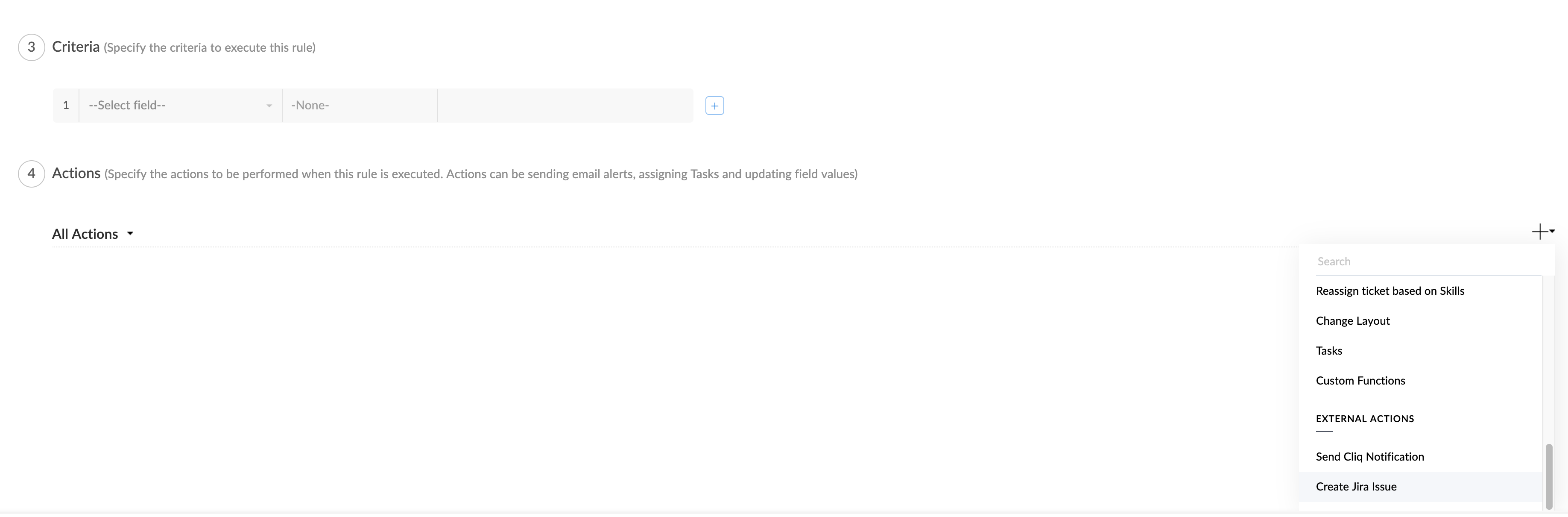
### Step 3: Add the Create Jira Issue Action
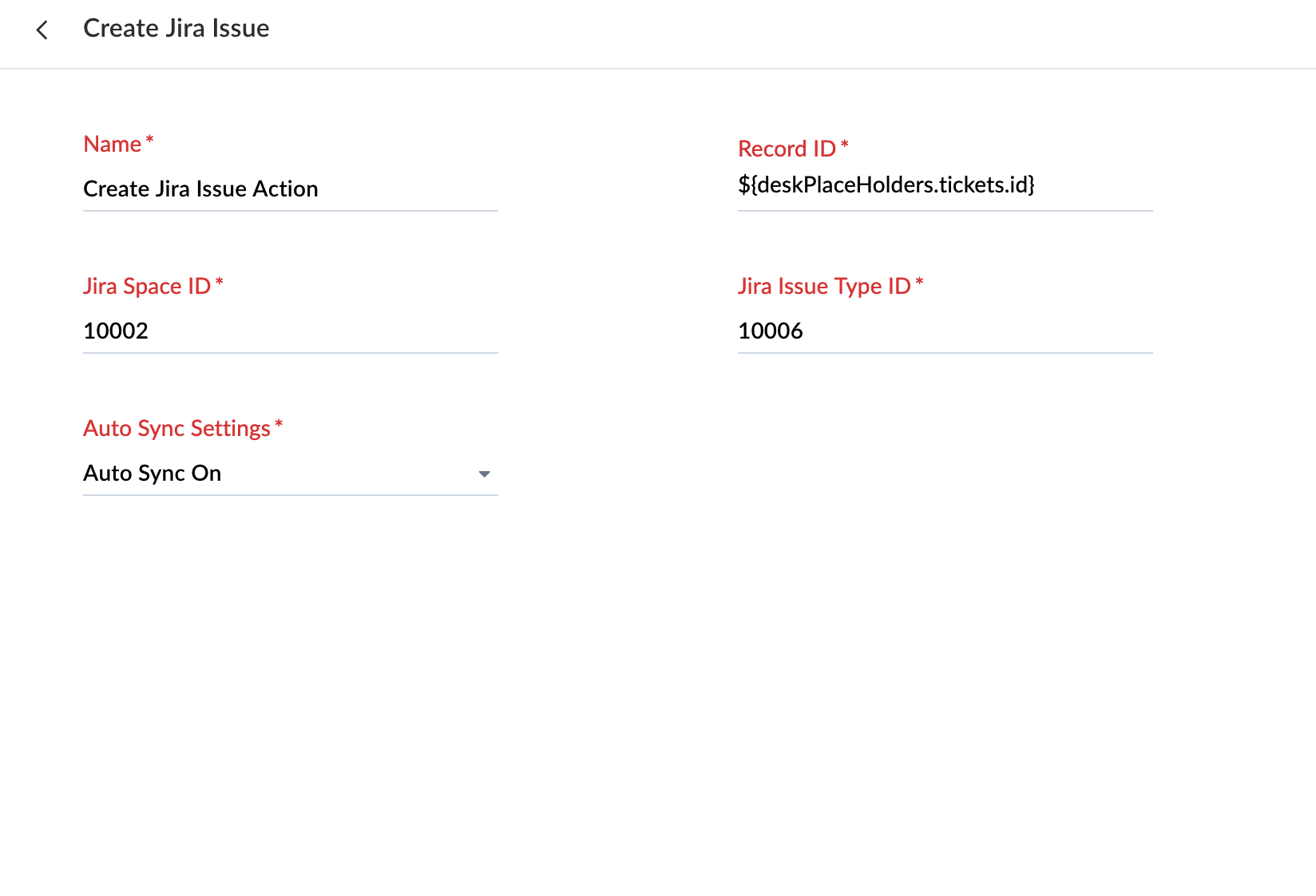
* In the workflow actions, select **Create Jira Issue**.
* Enter the following required values:
* **Jira Space ID**
* **Jira Issue Type ID**
* **Important Notes**
* The **Jira Space ID** and **Jira Issue Type ID** must match your configured **object mappings**.
* The Jira issue will be created based on your configured **field mappings**.
* Make sure your object mappings and field mappings are set up correctly before enabling the workflow.
* Click Save once you are done
After completing the steps above, the workflow will automatically create Jira issues when the configured conditions are met.
### Find Your Jira Space ID and Issue Type ID
Follow these steps to quickly find your **Jira Space ID** and **Issue Type ID**:
1. Open the Zoho Desk for Jira configuration page in Jira.
2. Select the Space and Department mapping.
3. To find the Issue Type ID, hover over the corresponding Module Mapping row. The Issue Type ID will appear in the tooltip.
#### Additional Resources
If you need further assistance, don’t hesitate to contact our support team at ****. We’re here to help!